

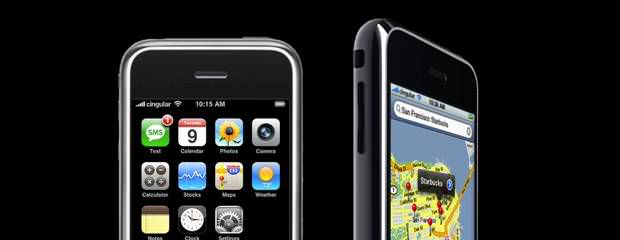
Apple iOS 4 review
MultitaskingThough you've always been able to multitask with native iPhone features like the music player, the option is now available for third-party apps. Your primary access point is a multitasking menu that's accessible by double tapping the Home button. Once there, you'll see a list of currently running applications along the bottom of the display that you can scroll through using a sideways finger swipe. The pop-up menu shows only four apps at a time, and we're still investigating whether you're limited as to how many apps you can open at once.
But is it real multitasking?As you'd expect, Apple's multitasking works a little differently than on other smartphones. Instead of having all device resources available to every running app, iOS 4 lets only seven app services run in the background. These include audio (you'll be able to play Pandora radio, for example), VoIP services like Skype, GPS/location for apps like TomTom, push notifications, local notifications (those that don't to have to go through a server), task completion (users get an alert when a process is finished), and fast app switching (apps essentially hibernate not to use the CPU). According to Apple, this arrangement will have less of a drain on resources like battery life and memory than if it gave developers free reign. Also, pausing most background apps will free the system from having to juggle resources and kill stalled applications.
The next person
Home screen foldersThough we love apps as much as the next person, we've become tired of scrolling through several pages of iPhone home screens. Thankfully, that has changed with the addition of home screen folders. This is another common feature that competing devices have long offered, so it's nice to see Apple stepping.
E-mail changesThough the iPhone always has been a functional e-mail machine, we never enjoyed switching back and forth among multiple accounts to read new messages. Fortunately, iOS 4 has a new unified in-box that is accessible under the Mail option on your home screen. Listed above your individual in-boxes is a new option for All inboxes, which contains messages from multiple accounts. You can't access individual folders from the universal in-box, but you can delete and move messages. Here again, it works well, but it's not vastly superior to how competing OSes handle the same process.
The previous three features
Home screen customizationUnlike the previous three features, this change was low on our wish list, but Apple's done a decent job rolling it out. Sure, you always could change the standard black background using a third-party app, but iOS 4 adds the native capability to the iPhone and iPod Touch. First, find the wallpaper option in the Settings menu and choose either a provided wallpaper or a photo in your camera roll. After making your selection, you'll have the option to set it as the wallpaper for your home screen, the lock screen, or both.
It's all straightforward, but there are a few troublesome trade-offs. First off, we can't fathom why the iPhone 3G didn't get this option. Also, keep in mind that once you ditch the standard black background, there's no way to get it back. You can take a photo of a black wall, the night sky, or a dark room, but that's hardly the same thing. And don't be surprised to find that some of your native wallpapers have been replaced by new options. Apple giveth, and Apple hath taken away.
The iPhone 4 to get a 5-megapixel shooter
Camera zoomYou'll have to wait for the iPhone 4 to get a 5-megapixel shooter, but iOS 4 adds a 5x zoom for the still camera. When taking a photo, just tap the screen to see the zoom bar. Use your finger to pan in and out, but remember that since this is digital zoom, picture quality will degrade as you zoom in.
Spell checkThe iPhone has long had an autocorrect feature that changes words as you type, but we've never considered it to be completely useful. That's why we're already big fans of the new spell check feature that notifies you of unrecognized or misspelled words with a red underline. It works when you're composing both e-mails and text messages, and you get a short list of suggested corrections. We'd like more suggestions, but that's a small point.
Tap-to-focus videoOn the iPhone 3GS you can use the tap-to-focus feature in the still and video cameras. We've never found that this feature makes that much of a difference, but it certainly doesn't hurt to have it.
What remainsWe have not tested the remaining major iOS 4 features. Once we get an iPhone 4 later in the week, we will use the new applications and expand this section.
- · Rackspace debuts OpenStack cloud servers
- · America's broadband adoption challenges
- · EPAM Systems Leverages the Cloud to Enhance Its Global Delivery Model With Nimbula Director
- · Telcom & Data intros emergency VOIP phones
- · Lorton Data Announces Partnership with Krengeltech Through A-Qua⢠Integration into DocuMailer