

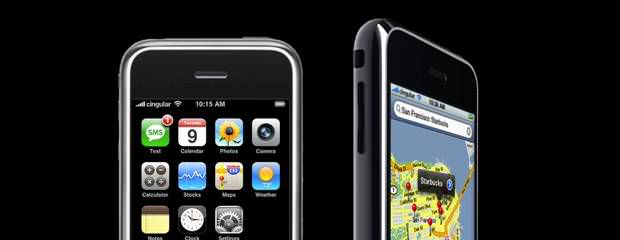
Apple iPod Touch with Google Voice and Acrobits Groundwire
This is a review of running your Apple iPod Touch 4G as smartphone using Google Voice and the Acrobits Groundwire softphone opposite to a carrier smartphone or only using a softphone. This is a great alternative for consumers that want the applications of the iPhone without being bound to a carrier. I will describe the configuration, pros and cons, and where you can get the required software. If you want unlimited calling with free long distance and Internet for as little as $3 per month, this configuration may be for you.
To get started, you need a DID telephone number from a VoIP (Voice over Internet Protocol) provider. I have chosen Callcentric as my VoIP (Voice over Internet Protocol). Cost: $2.95/mo unlimited inbound calls. Free SIP-to-SIP calls.
Download the Acrobits softphone or the Acrobits GroundWire softphone. Upon launching Acrobits, you must specify your VoIP account. NOTE: You should accept push notifications. See the Acrobits web site for a detailed tutorial on configuring the software and Google Voice.
Free Google Voice telephone number
Sign-up for a free Google Voice telephone number. At that time install the Google Voice app from iTunes. Link your VoIP DID number to your Google Voice account.
How to make calls? Most importantly, how to make free calls? Make sure you have started Acrobits and configured incoming calls for 'Background and Push'. Launch Google Voice. Use Google Voice to make your call and select the DID as the outbound calling device. This is treated as a SIP-to-SIP call in this way free.
- ·
Acrobits Google Voice
- ·
Ipod Touch Google Voice
- ·
Groundwire Google Voice
- ·
Free Call Ipod Touch Google Voice
- ·
Ipod Touch Voip Google Voice
- · Rackspace debuts OpenStack cloud servers
- · America's broadband adoption challenges
- · EPAM Systems Leverages the Cloud to Enhance Its Global Delivery Model With Nimbula Director
- · Telcom & Data intros emergency VOIP phones
- · Lorton Data Announces Partnership with Krengeltech Through A-Qua⢠Integration into DocuMailer